
Polkadot Developer Interface: How to Import an Account From Enzyme Wallet Print
Modified on: Mon, 2 Feb, 2026 at 5:05 PM
This article remains available for reference but is no longer updated or maintained.
Please use the information at your own discretion and risk.
For more details, refer to the official annoucenment.
‼️ IMPORTANT

Polkadot Developer Interface (Polkadot-JS UI) is a web wallet meant for power users and developers. For everyday use, there are several user-friendly wallets funded by the Polkadot Treasury that support a plethora of features and platforms. Discover them in this article.How to Restore your Enzyme Account on Polkadot Developer Interface
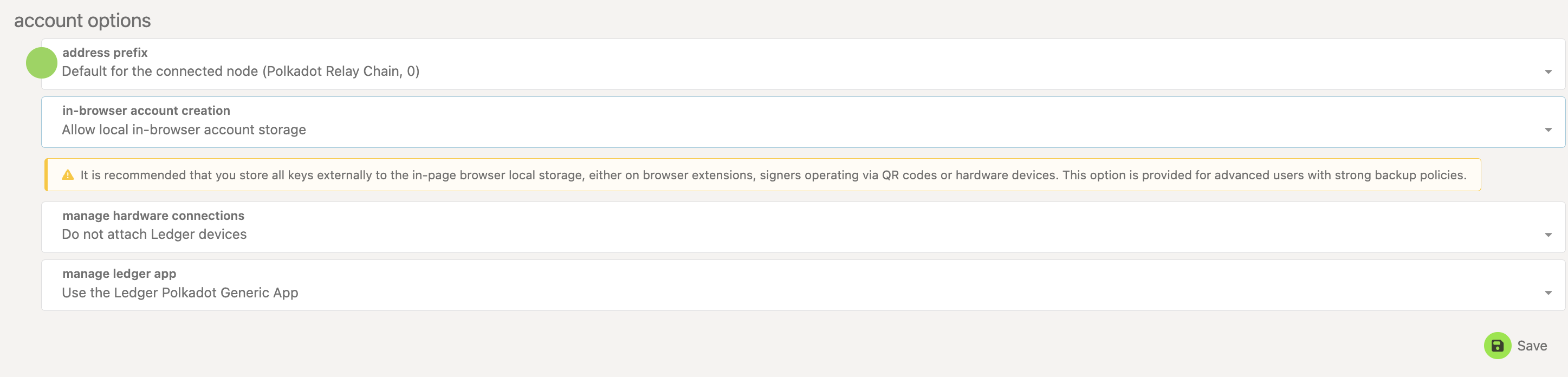
1. On the Polkadot Developer Interface, navigate to the "Settings" tab. Under "In-browser account creation," allow local in-browser account storage, and click "Save":
2. Then, go to the Accounts page and click "+ Add account":

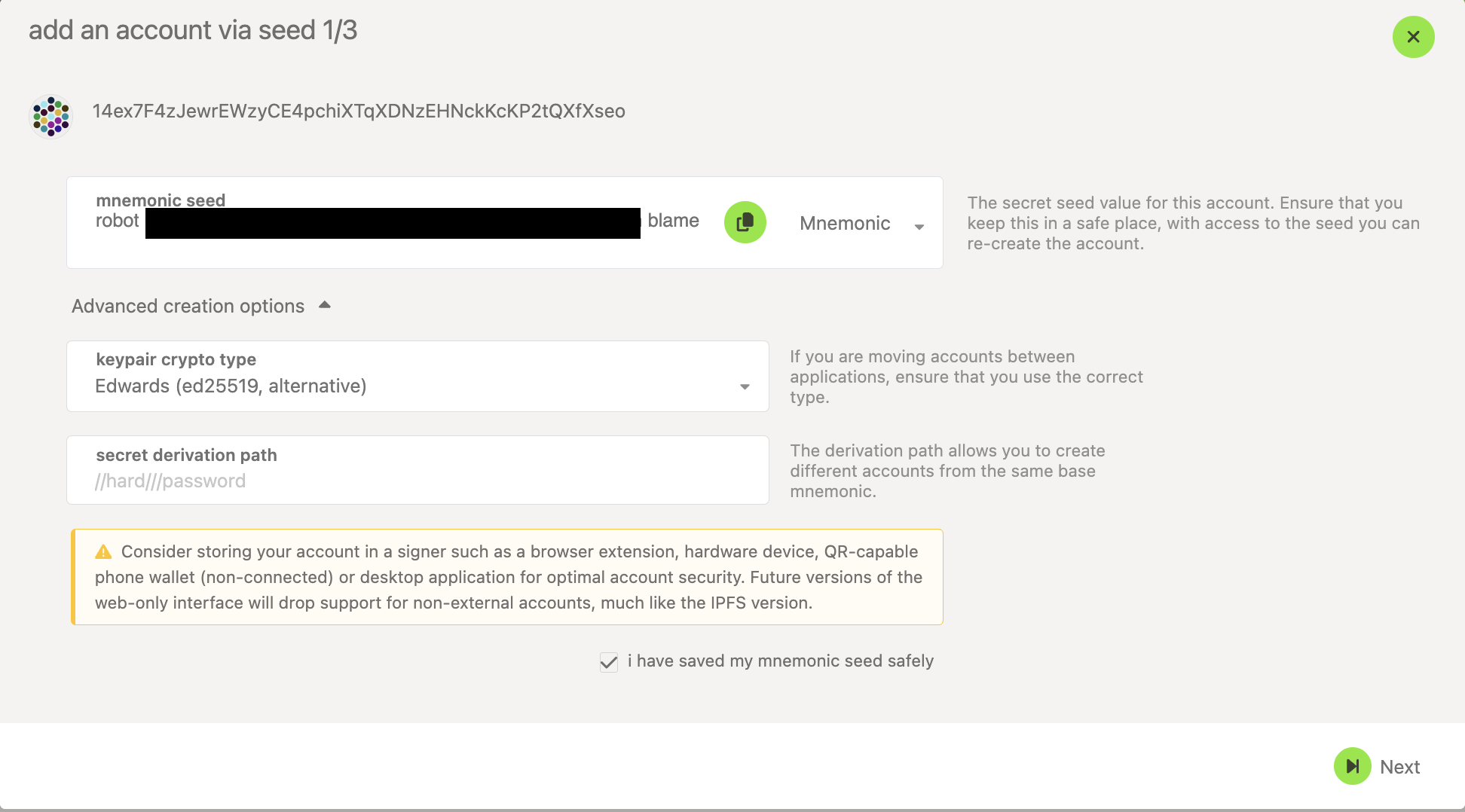
3. Overwrite the pre-filled mnemonic phrase with your own 12 words from the Enzyme wallet.
4. Click on the arrow next to "Advanced creation options" to expand them.
5. Under "keypair crypto type," select "Edwards (ed25519, alternative)" from the drop-down menu, which is the default for the Enzyme wallet. You can leave it at "Schnorkel (sr25519, recommended)" only if you remember that you chose this when you initially created your account in the Enzyme wallet.
6. Tick the box "I have saved my mnemonic seed" and click "Next":
7. Give your account a name and password, and click "Next." Review your account details again and click "Save" to add the account.
8. A JSON backup file will be downloaded for you. Keep this file and your password safe to have an additional recovery option besides your mnemonic phrase.
